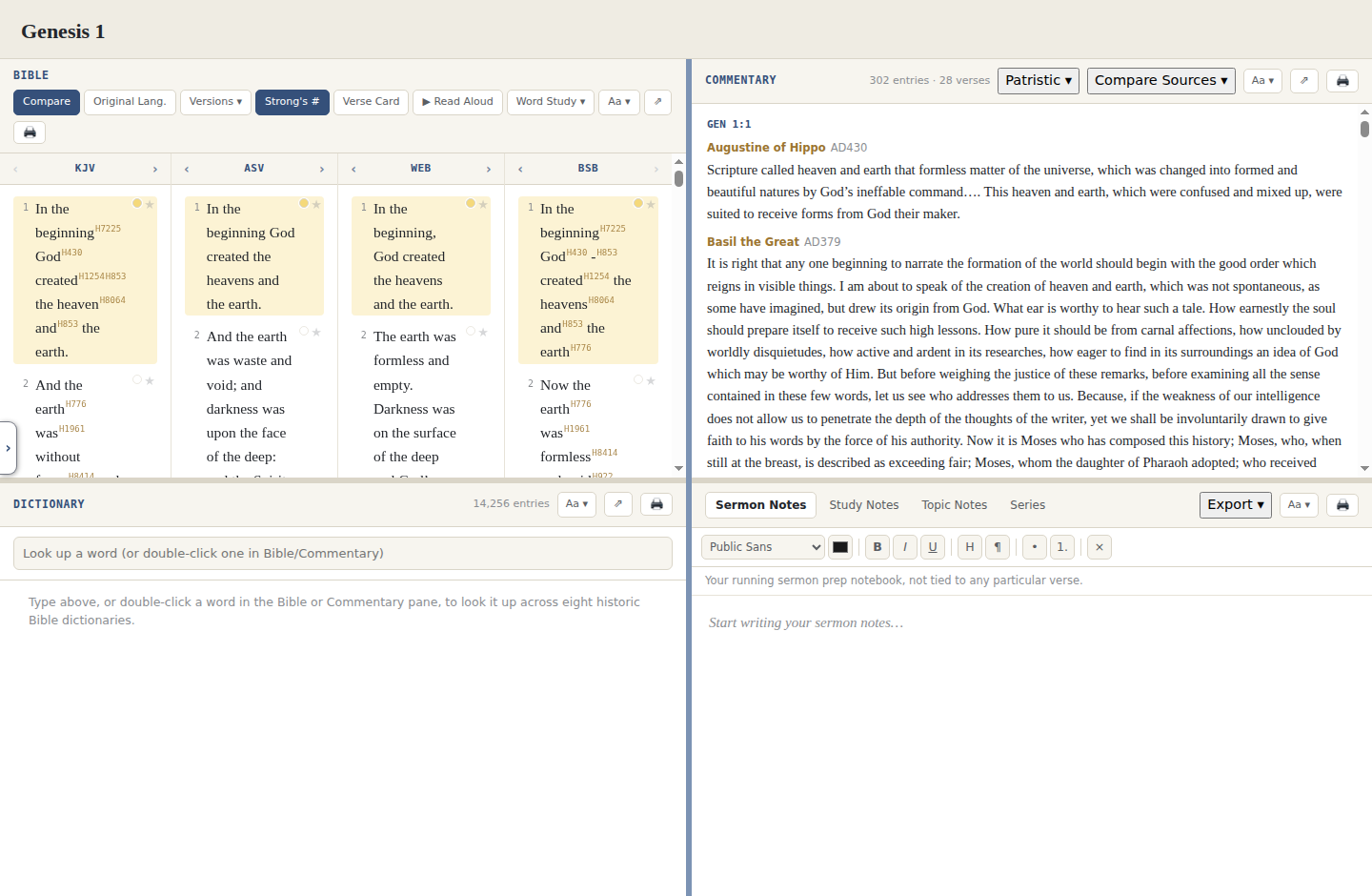
All four panes at once
Bible, Commentary, Dictionary, and Notes, each resizable, each visible at the same time on your desktop.
Built for Linux
Vellum is a native Linux desktop application, built with the same Electron framework as the Windows build, not a compatibility layer or a browser tab. Install the .deb with your package manager, or grab the AppImage if you'd rather not install anything at all.
Version 1.14.0 · Portable or installer · ~275 MB · Free forever
A standard .deb you install with your package manager. Adds a normal application menu entry and uninstalls the usual way, through apt or your software center.
Get the .deb packageNo installation and no package manager. Make it executable and run it, and it works across most distributions, Fedora and Arch included.
Get the AppImageBible, Commentary, Dictionary, and Notes, each resizable, each visible at the same time on your desktop.
Concordance, Search Everything, the Atlas, Lesson Builder, and everything else in Vellum, native on Linux with nothing missing.
Once installed, no internet connection is needed. Everything ships inside the app.
Every pane has its own print button that sends just that pane, not the whole window, to your printer or a PDF.
chmod +x Vellum.AppImage from a terminal first. The .deb package doesn't need this step.On Windows instead? Vellum also ships as an installer or a portable .exe.