Four panes, one screen
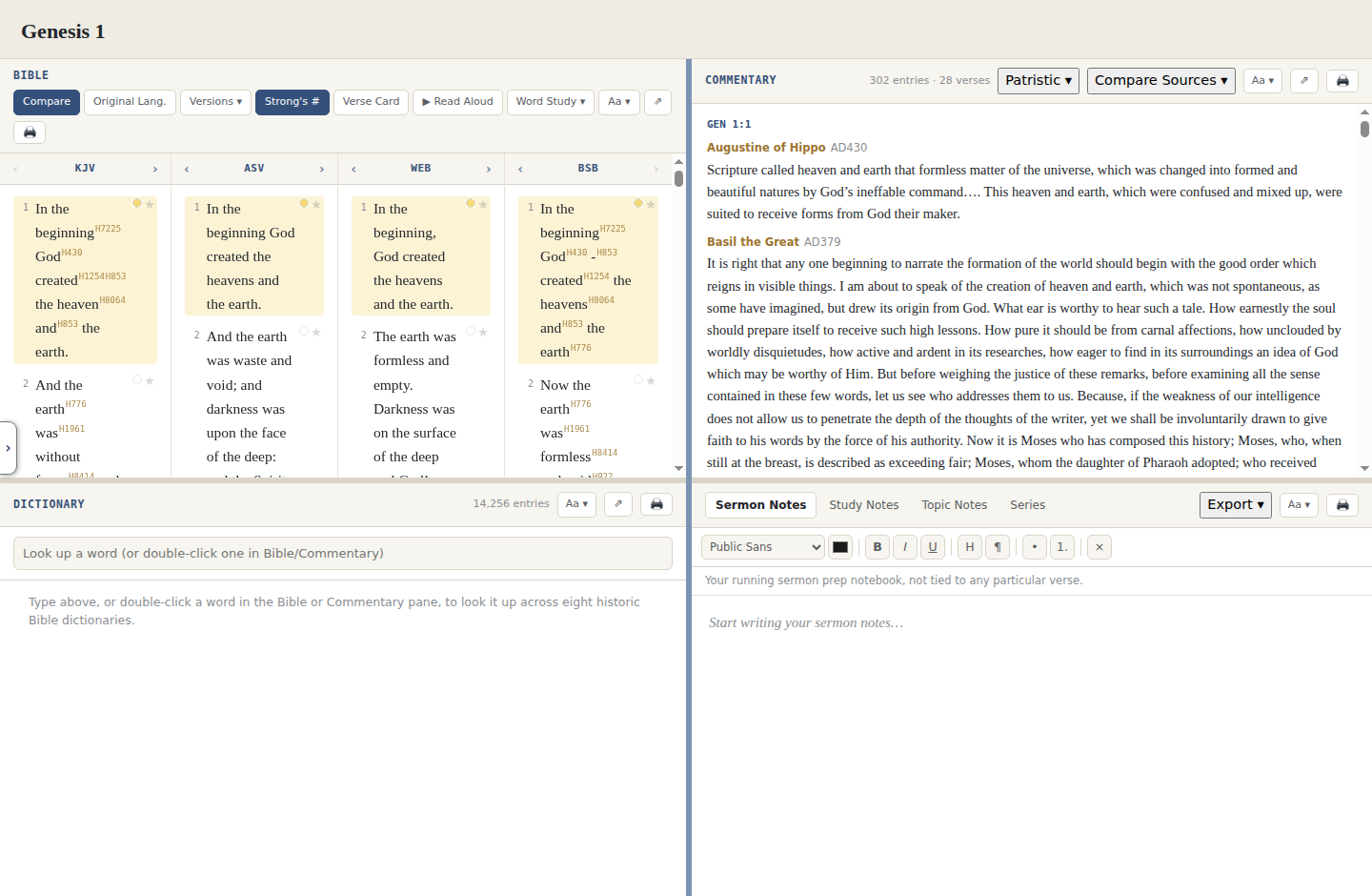
Bible, Commentary, Dictionary, and Notes are all visible and resizable at the same time. Double-click a word to look it up in the Dictionary pane; click a verse to jump the Commentary pane straight to it.
100% Free · 100% Public Domain
Vellum docks Bible, Commentary, Dictionary, and Notes side by side on one screen, in the spirit of classic desktop Bible software like e-Sword, built entirely from public-domain and openly-licensed sources. No account, no subscription, no ads, and it owes nobody anything.
Version 1.14.0 · Windows or Linux · ~275–290 MB
Every pane stays open and resizable at once, so a word study never means losing your place.
Bible, Commentary, Dictionary, and Notes are all visible and resizable at the same time. Double-click a word to look it up in the Dictionary pane; click a verse to jump the Commentary pane straight to it.
KJV, ASV, WEB, and BSB side by side on every build. The Windows build adds nineteen more for comparison, from Young's Literal Translation, Darby, the 1599 Geneva Bible, and the Douay-Rheims to lesser-known works like Rotherham's Emphasised Bible, the Bible in Basic English, and the Jewish Publication Society's 1917 translation, 23 translations in total, plus William Tyndale's original 1520s Pentateuch and New Testament in its own reading tab.
A reverse-interlinear shows real Hebrew and Greek text word by word next to its English gloss. Hebrew Old Testament words carry their own Strong's numbers from the Westminster Leningrad Codex, clickable straight into the Lexicon. Hover any word here, or in Compare Translations, and a quick preview of its spelling, pronunciation, and definition shows up before you even click.
Click any Strong's number to open the full entry: Brown-Driver-Briggs for Hebrew, Abbott-Smith for Greek, plus Strong's own Hebrew & Greek dictionaries, each with pronunciation and a clickable list of every KJV occurrence. 13,500 of 14,197 numbers have the full entry.
A complete patristic Catena spans roughly AD 100–1700, over 100 authors, 22,537 verses annotated. Switch to any of 14 classic commentaries instead, from Matthew Henry, Jamieson-Fausset-Brown, and Adam Clarke to Calvin, Keil & Delitzsch, Spurgeon's Treasury of David, and the Pulpit Commentary, all selectable from the same menu, or compare two or three of them side by side for the same chapter.
Eight historic Bible dictionaries merged into one lookup: Easton's, Smith's, Hastings', Hitchcock's, Schaff's, the International Standard Bible Encyclopedia, Fausset's, and Vine's Expository Dictionary of New Testament Words. 14,256 merged terms.
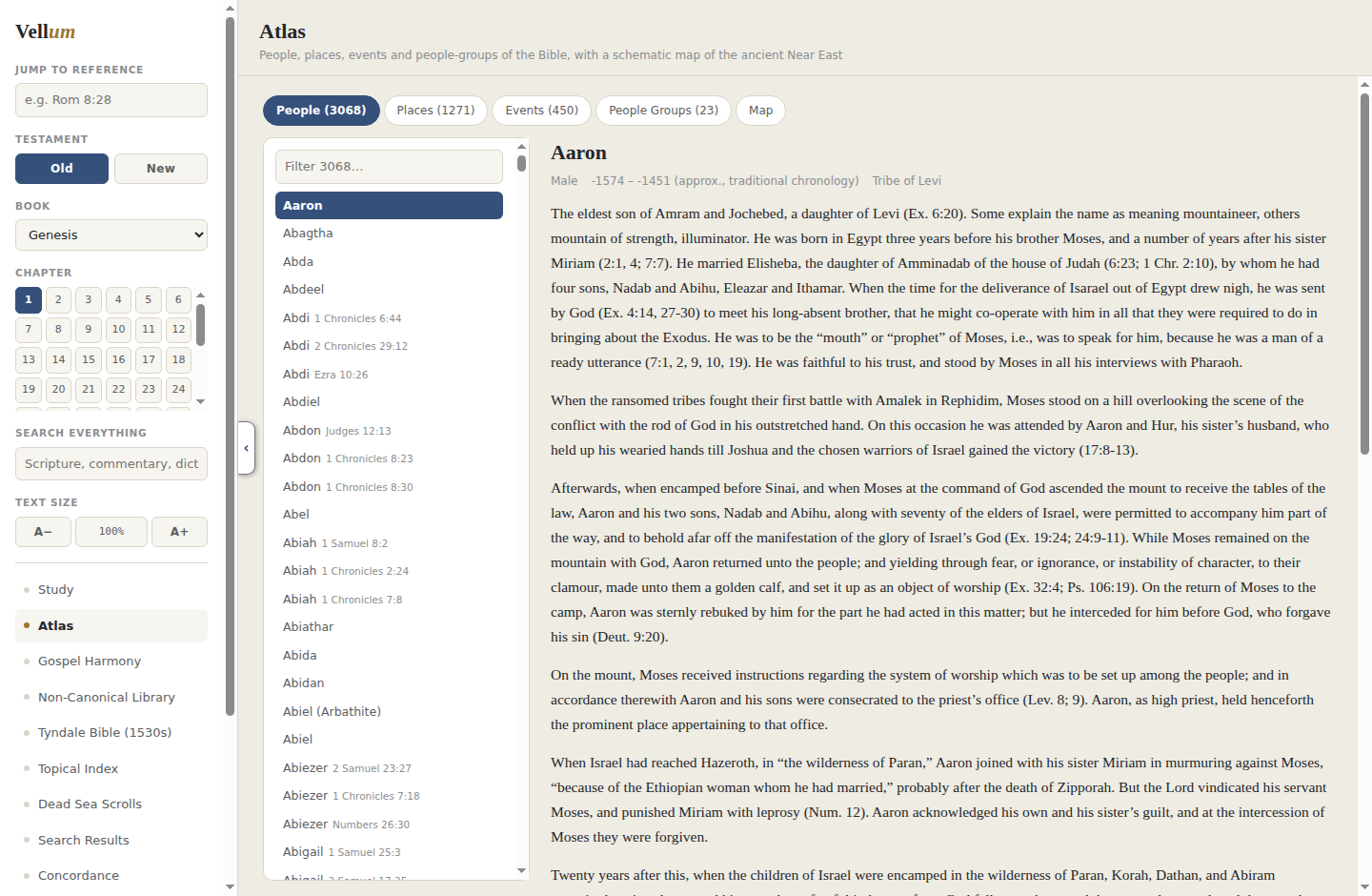
3,068 people, 1,271 places, 450 events, and 23 groups drawn straight from Scripture. Places plot on a schematic map, and every entry lists the verses it appears in. Any person's entry can expand into a full character study: where they fall on the timeline, their relatives grouped by tribe, and one click to export the whole thing as a Word document, a PDF, or a print job.
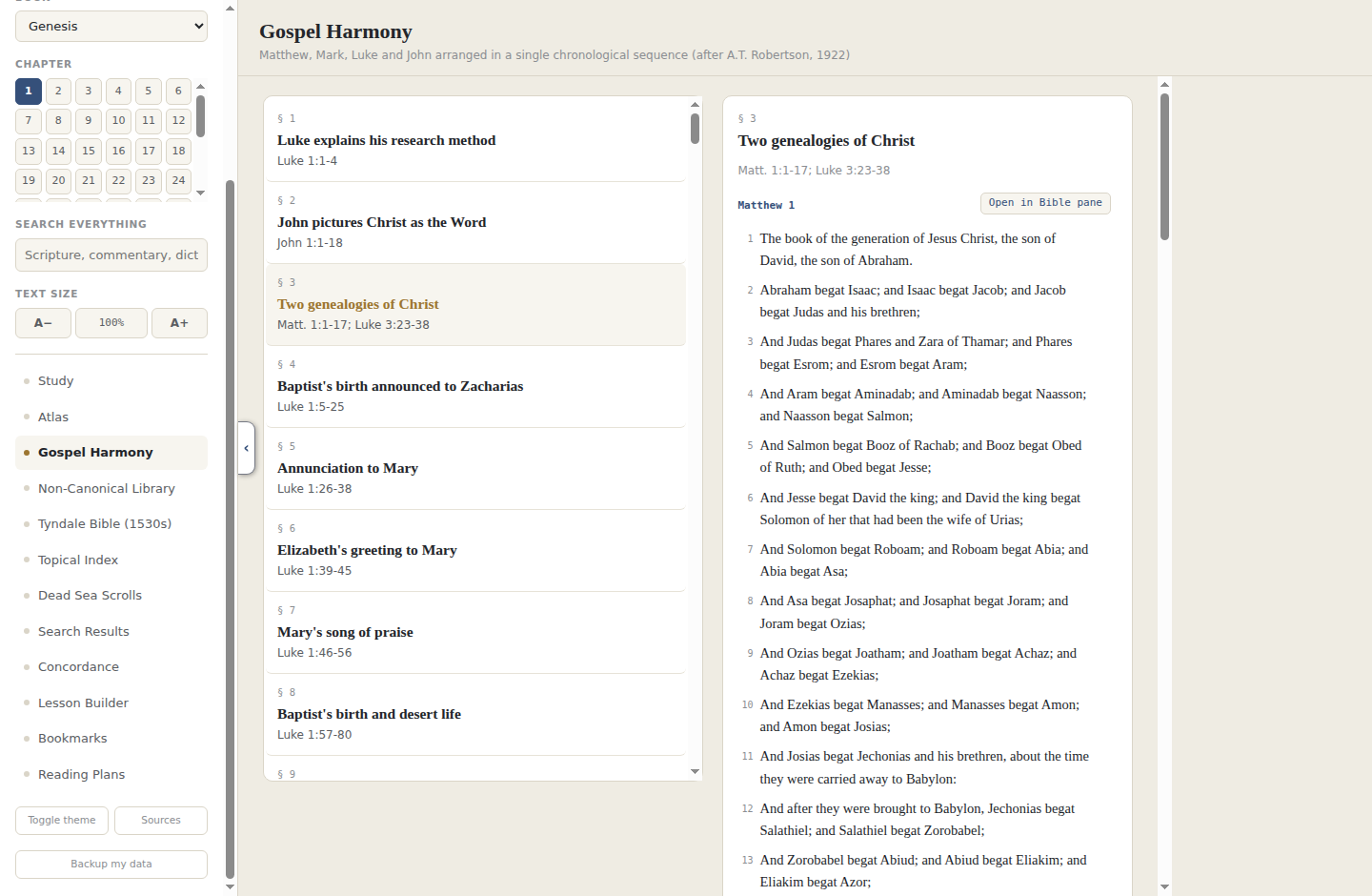
The four Gospels laid out side by side across 179 sections covering the life of Christ, based on A.T. Robertson's 1922 harmony.
344,756 community-voted cross-references across every verse in Scripture, each one a clickable chip that jumps straight into the Bible pane.
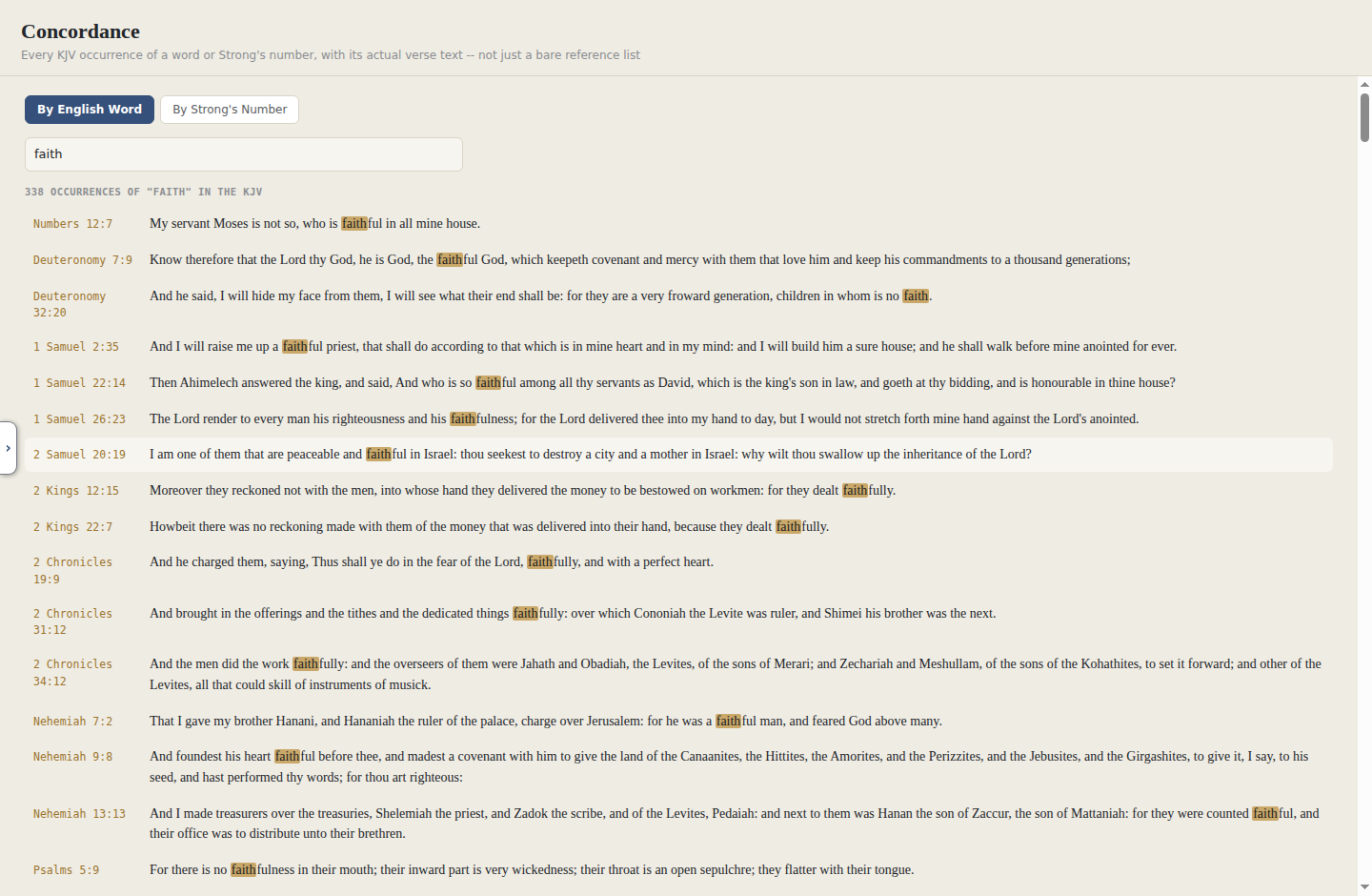
Search by English word or by Strong's number and get every match in the KJV with its actual verse text, not just a bare list of references. Type in "love" and read all four hundred-plus occurrences right there.
One search box reaches across Scripture, every commentary, the Dictionary, the Topical Index, and the Non-Canonical Library, plus your own notes, with results sorted into tabs so you can jump straight to whichever kind you're after.
Nave's Topical Bible, roughly 4,500 topics with their scripture references, searchable right alongside the Bible, Commentary, and Dictionary panes.
A real rich-text editor with four kinds of notes: a running Sermon Notes page that isn't tied to any one verse, Study Notes that follow whatever verse is open, freeform Topic Notes, and a Series tool that groups your Topic Notes into a named, ordered collection with its own table of contents. Export any of it as a Word document or PDF.
Pull several passages together with your own headings and notes into one multi-passage teaching outline, then export the whole lesson as a single document, ready to hand out or preach from.
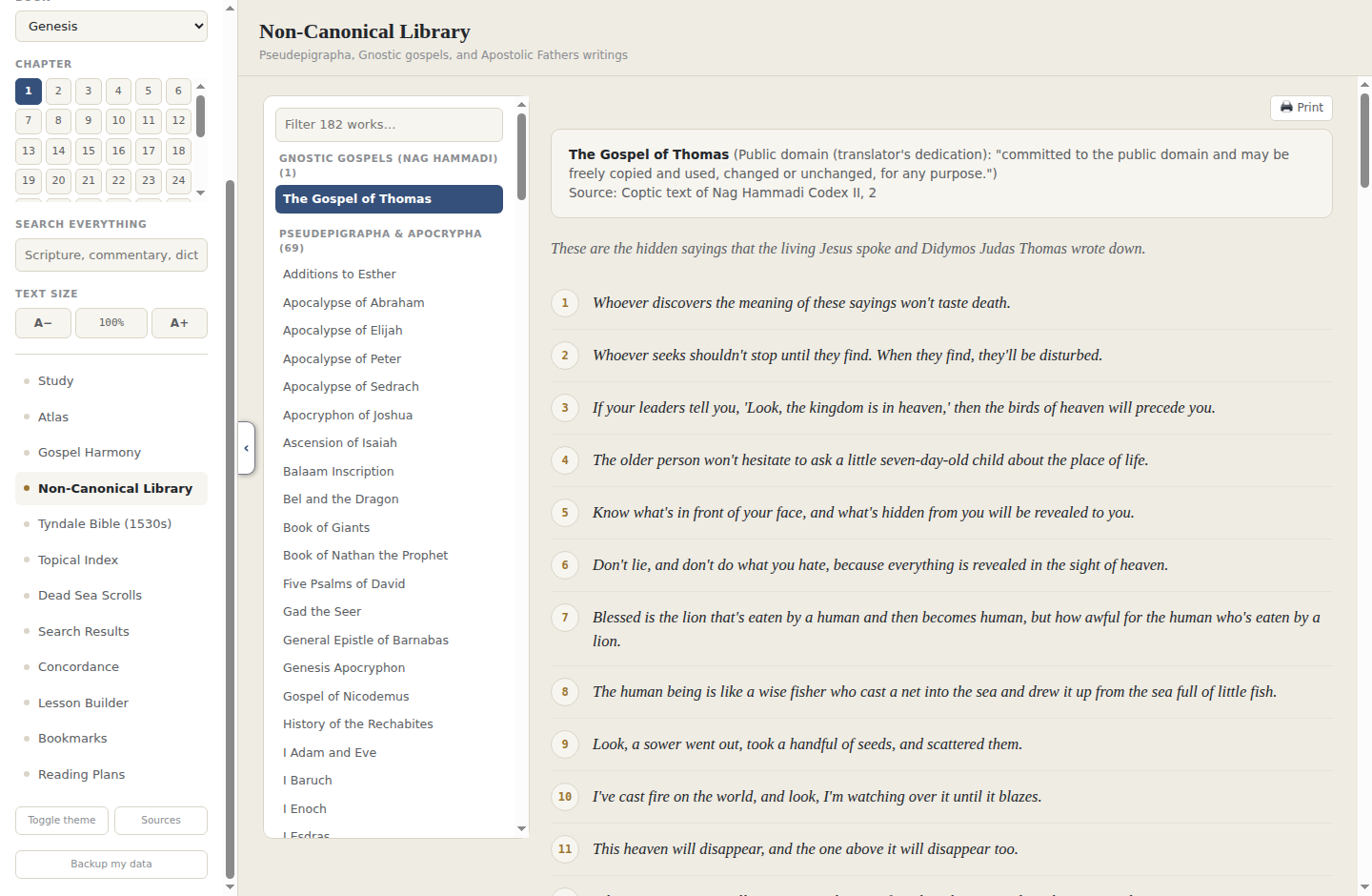
182 public-domain works you can search and read: the Gospel of Thomas, the wider Nag Hammadi writings, the Pseudepigrapha and Apocrypha, the Apostolic Fathers, and the complete works of Josephus.
Mark a verse in one of four colors, or set your own, right from the Bible pane. Highlights stay put across sessions, so a passage you flagged last month is still flagged today.
Have any chapter read aloud in your computer's own text-to-speech voice, with adjustable speed, or download a chapter's real human narration, recorded for LibriVox, for offline listening. Narrated audio downloads once per set of chapters and stays on your computer after that.
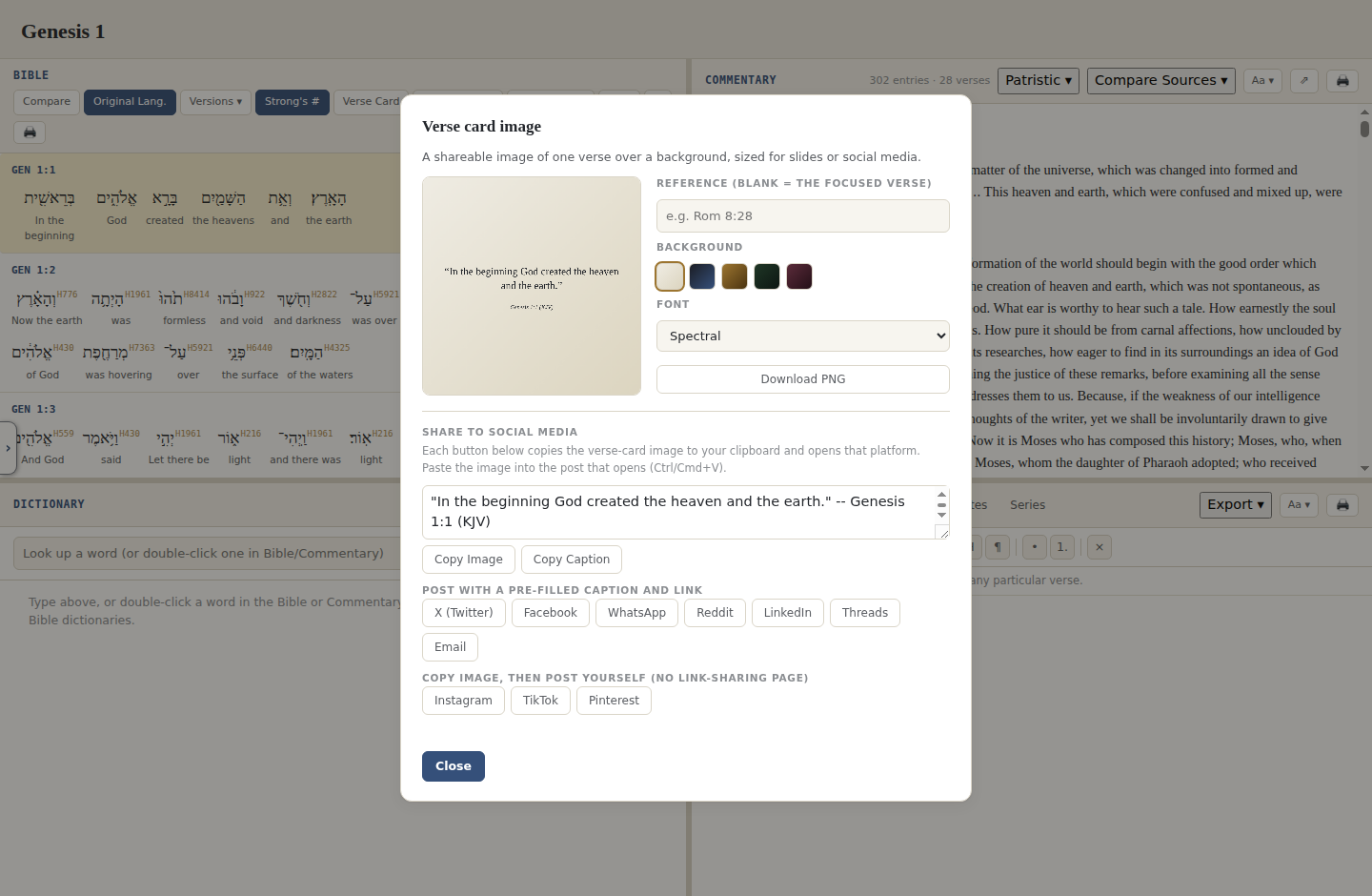
Turn any verse into a shareable image: pick a background color and a font, then download it as a PNG or send it straight to X, Facebook, WhatsApp, LinkedIn, Threads, or email with the verse and reference already filled in as the caption.
Your notes, highlights, bookmarks, lessons, and reading plan progress live on your own computer, no account and no cloud sync. One button exports it all to a single file, and that same file restores or merges it back in on a new machine.
Any pane, Bible, Commentary, Dictionary, or Notes, can pop out into its own window, so you can drag it to a second monitor or size it on its own, apart from the rest of the workspace.
Every pane has its own print button that sends a clean, readable version of just that pane, not the whole app layout, to your printer or a PDF.
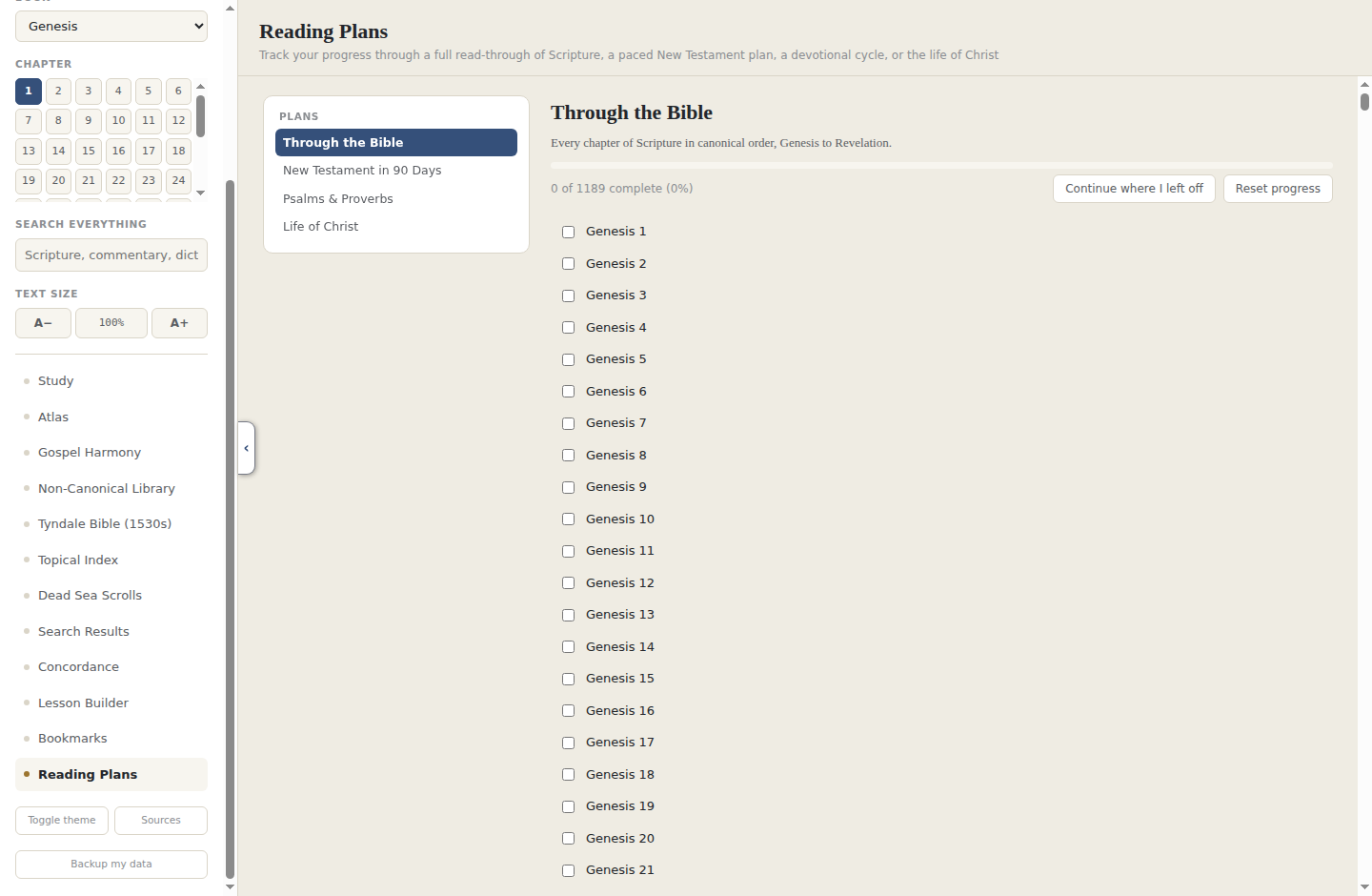
A few panes from inside Vellum, running on Windows.
A normal setup wizard. Installs to Program Files, adds a Start Menu shortcut, uninstalls from Windows Settings like any other program.
Download Vellum-Setup.exeNo installer. Double-click and it opens. Nothing written to Program Files or the registry, so it runs fine from a USB drive.
Download Vellum-Portable.exeA standard .deb you install with your package manager. Adds a normal application menu entry and uninstalls the usual way, through apt or your software center.
Download Vellum.debNo installation and no package manager. Make it executable and run it, and it works across most distributions, Fedora and Arch included.
Download Vellum.AppImagechmod +x Vellum.AppImage from a terminal first. The .deb package doesn't need
this step.
Every text in Vellum is public domain or carries an explicit open license: nothing is paywalled and nothing ever will be. Building it means tracking down public-domain sources, cleaning up decades-old OCR scans, and untangling licensing on things like the Dead Sea Scrolls, which still has no public-domain text to ship. If Vellum has been useful in your study, a donation goes toward keeping that work going.
Support VellumNothing here is pulled from paid or proprietary Bible software. Every source is public domain or carries an explicit CC BY / CC BY-SA dedication.